Setting up Spot Margin on OKX in Singapore


Here's how to set up your Spot Margin trade on OKX in Singapore.
Step 1: Navigate to Margin Trading
Open the OKX app.
Tap Trade, or the GRID buton at the top left, and then select Margin.
Step 2: To Enable Margin Mode ensure the ‘Margin’ switch is turned on.
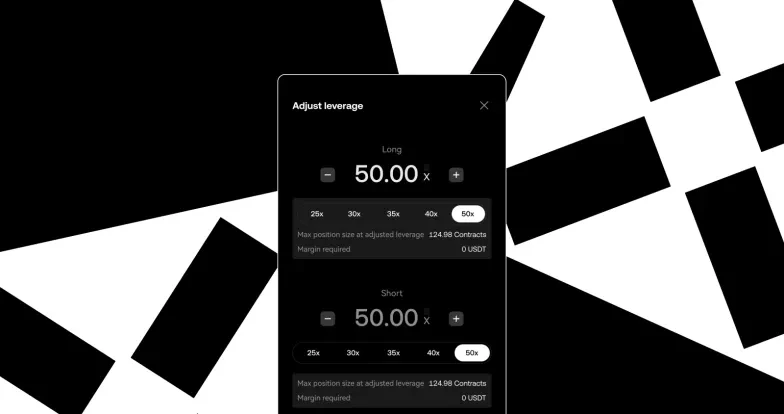
Step 3: Pick your desired margin-eligible trading pair (e.g., BTC/USDT), and adjust Borrowing Ratio
Step 4: Confirm Margin Order
Step 5: Tap the [confirm] button to execute the trade. You will see your opened trade under the Position & assets tab.
When you’re ready to close your position:
Sell the asset (if long), or buy it back (if short).
The borrowed amount + interest will be repaid from your margin balance.
Any remaining profit is yours.
Spot Margin trading is currently available only to Accredited Investors in Singapore. Verify as an Accredited Investor now, and gain access to Spot Margin
© 2025 OKX. تجوز إعادة إنتاج هذه المقالة أو توزيعها كاملةً، أو استخدام مقتطفات منها بما لا يتجاوز 100 كلمة، شريطة ألا يكون هذا الاستخدام لغرض تجاري. ويجب أيضًا في أي إعادة إنتاج أو توزيع للمقالة بكاملها أن يُذكر ما يلي بوضوح: "هذه المقالة تعود ملكيتها لصالح © 2025 OKX وتم الحصول على إذن لاستخدامها." ويجب أن تُشِير المقتطفات المسموح بها إلى اسم المقالة وتتضمَّن الإسناد المرجعي، على سبيل المثال: "اسم المقالة، [اسم المؤلف، إن وُجد]، © 2025 OKX." قد يتم إنشاء بعض المحتوى أو مساعدته بواسطة أدوات الذكاء الاصطناعي (AI). لا يجوز إنتاج أي أعمال مشتقة من هذه المقالة أو استخدامها بطريقة أخرى.